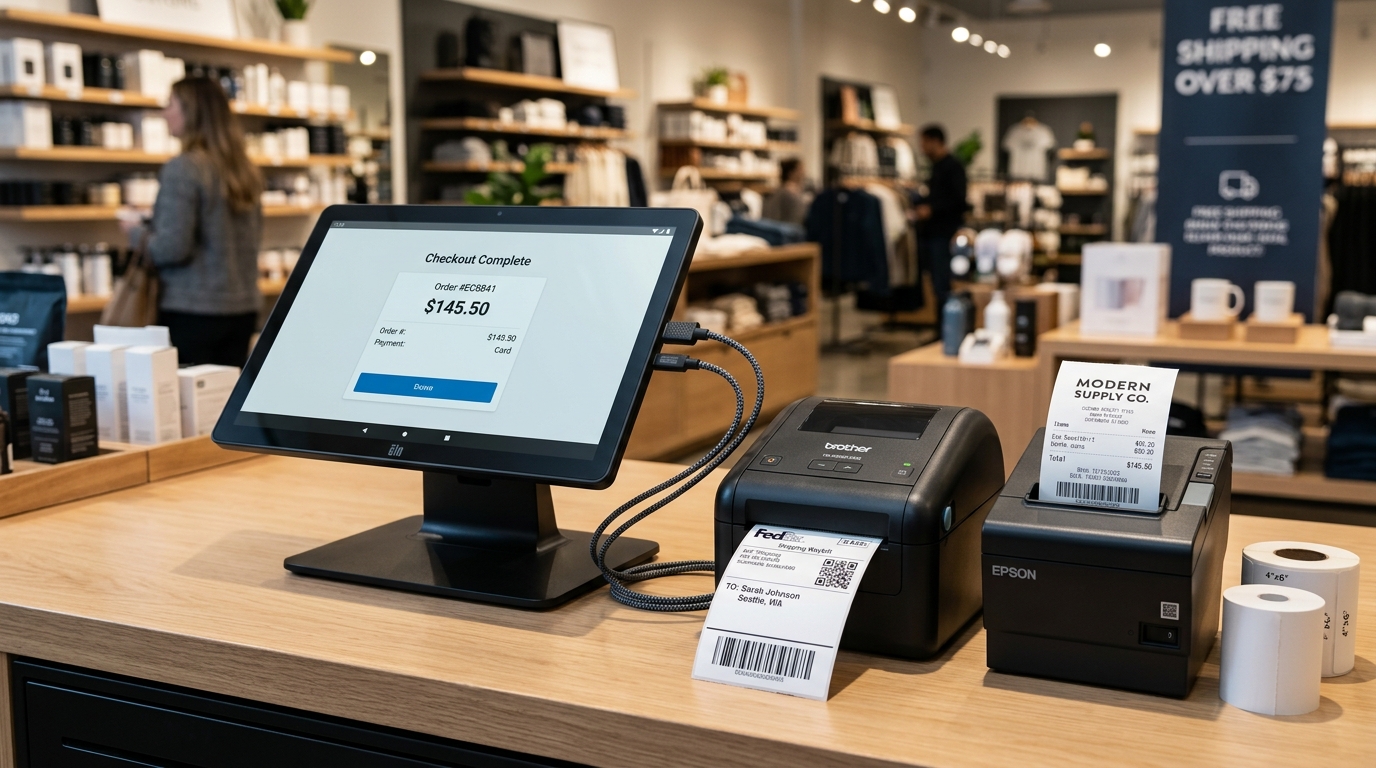
Choosing the right thermal printer is essential for smooth daily operations, whether you are managing a busy dining room counter, a retail apparel boutique, or an omnichannel e-commerce packing fulfillment station for TikTok Shop, Shopee, and Lazada.
A core advantage of GeminiPOS is its hardware-agnostic, open architecture. Merchants are never locked into proprietary hardware bundles costing thousands of ringgit. You have the total freedom to choose from widely available, affordable commercial USB thermal printers.
As of the 2026 ecosystem update, the GeminiPOS hardware catalog officially recognizes and supports 45 industrial thermal printer models across three main functional roles:
- Air Waybill (AWB) Shipping Label Printers (100mm – 108mm / 4x6 inch, TSPL / ZPL)
- Barcode & Shelf Price Label Printers (58mm – 76mm, TSPL)
- POS Receipt & Kitchen Ticket Printers (58mm & 80mm, ESC/POS)
Below is the complete hardware matrix, technical specifications, and official manufacturer download and support portal links.
---
Section 1: AWB Shipping Label Printers (100–108mm / 4x6 Inch)
These heavy-duty label printers are dedicated to printing Air Waybills (AWBs) for logistics carriers such as J&T Express, Ninja Van, Pos Laju, SPX Express, Flash Express, and DHL eCommerce directly from the GeminiPOS *Online Orders Fulfillment* screen.
They utilize vector-based TSPL or ZPL protocols with a minimum print width of 100mm (4 inches) at 203 DPI or 300 DPI, requiring zero ink or toner ribbons (direct thermal).
Brand · Model · Protocol · Paper Width · Resolution · Test Status · Official Vendor Link
Generic · Generic TSPL 4x6 · TSPL · 100 mm · 203 DPI · Verified · GeminiPOS Hardware Docs
Rongta · RP410 / RP410c · TSPL · 104 mm · 203 DPI · Verified · Rongta Tech Official Support
Rongta · RP420 · TSPL · 104 mm · 203 DPI · Compatible (Beta) · Rongta Tech Official Portal
Xprinter · XP-420B · TSPL · 108 mm · 203 DPI · Verified · Xprinter Tech Official Drivers
Xprinter · XP-DT108B · TSPL · 108 mm · 203 DPI · Verified · Xprinter Tech Product Portal
Xprinter · XP-460B · TSPL · 108 mm · 203 DPI · Compatible (Beta) · Xprinter Tech Downloads
Gprinter · GP-1324D · TSPL · 104 mm · 203 DPI · Compatible (Beta) · Gainscha / Gprinter Portal
TSC · TTP-245C · TSPL · 108 mm · 203 DPI · Verified · TSC Auto ID Official Drivers
TSC · TTP-344M · TSPL · 108 mm · 300 DPI · Verified · TSC Auto ID Support
iDPRT · iP-Series (iP806) · TSPL · 108 mm · 203 DPI · Verified · iDPRT Official Downloads
iDPRT · SP410 · TSPL · 108 mm · 203 DPI · Compatible (Beta) · iDPRT Support Portal
Munbyn · ITPP941 · TSPL · 108 mm · 203 DPI · Verified · Munbyn Official Driver Downloads
Phomemo · PM-246S · TSPL · 104 mm · 203 DPI · Compatible (Beta) · Phomemo Official Support
Zywell · ZY401 · TSPL · 104 mm · 203 DPI · Compatible (Beta) · Zywell Official Downloads
Zebra · ZD220 · ZPL · 104 mm · 203 DPI · Compatible (Beta) · Zebra Official Support & Drivers
Zebra · ZD420 · ZPL · 104 mm · 203 DPI · Verified · Zebra ZD420 Drivers
Zebra · ZD420 (300 DPI) · ZPL · 104 mm · 300 DPI · Verified · Zebra Official Support
Zebra · GK420d · ZPL · 104 mm · 203 DPI · Verified · Zebra GK420d Support
> Critical AWB Paper Width Guard:
> GeminiPOS strictly requires a minimum physical print capacity of 100mm for AWB jobs. Connecting an 80mm receipt printer to an AWB profile will trigger an immediate fail-safe block to prevent truncated waybills or unscannable courier barcodes.
---
Section 2: Barcode & Shelf Label Printers (58–76mm)
Ideal for convenience stores, apparel boutiques, bakeries, and pharmacies printing EAN-13 barcodes, shelf price tags, product QR codes, or batch expiration labels.
Brand · Model · Protocol · Paper Width · Primary Use Case · Official Vendor Link
Xprinter · XP-365B · TSPL · 76 mm · Shelf tags, retail apparel barcodes · Xprinter Tech Official Drivers
Xprinter · XP-235B · TSPL · 58 mm · Compact price labels, prescription stickers · Xprinter Tech Official Drivers
Gprinter · GP-3120TU · TSPL · 76 mm · Warehouse stock tags, bin labels · Gainscha / Gprinter Portal
Goojprt · PT-400 · TSPL · 76 mm · Mobile budget label printing · GeminiPOS Hardware Docs
Polono · PT30 · TSPL · 76 mm · Expiry date & markdown pricing stickers · GeminiPOS Hardware Docs
Zebra · ZQ520 · CPCL/ZPL · 104 mm · Rugged military-grade mobile printing · Zebra ZQ500 Series Support
Zebra · ZQ521 · CPCL/ZPL · 104 mm · Rugged mobile RFID & asset tracking · Zebra Official Support
---
Section 3: POS Receipt & Kitchen Ticket Printers (58mm & 80mm ESC/POS)
Receipt printers operate on the standard ESC/POS command set, featuring automatic paper cutting and RJ11 cash drawer trigger support.
Brand · Model · Paper Width · Auto-Cutter · Cash Drawer Kick · Official Vendor Link
Generic · Generic ESC-POS 58mm · 58 mm · Manual · No · GeminiPOS Hardware Docs
Generic · Generic ESC-POS 80mm · 80 mm · Yes · Yes · GeminiPOS Hardware Docs
Epson · TM-T82 (II / X) · 80 mm · Yes · Yes · Epson Malaysia Official Support
Epson · TM-T82III · 80 mm · Yes · Yes · Epson Malaysia TM-T82III Support
Epson · TM-m30 (m30II) · 80 mm · Yes · Yes · Epson Malaysia POS Portal
Epson · TM-T20 (II / III) · 80 mm · Yes · Yes · Epson Malaysia Support
Xprinter · XP-N160II · 80 mm · Yes · Yes · Xprinter Tech Official Drivers
Xprinter · XP-58 · 58 mm · Manual · Optional · Xprinter Tech Official Drivers
Xprinter · XP-C260M · 80 mm · Yes · Yes · Xprinter Tech Product Portal
Rongta · RP80 USE · 80 mm · Yes · Yes · Rongta Tech Official Portal
Rongta · RP58 · 58 mm · Manual · No · Rongta Tech Official Portal
Rongta · RP326 · 80 mm · Yes · Yes · Rongta Tech Official Portal
MASUNG · MS-EP80U (Internal POS) · 80 mm · Yes · Yes · MASUNG Official Portal
Bixolon · SRP-350III · 80 mm · Yes · Yes · Bixolon Official Downloads
Citizen · CT-S310II · 80 mm · Yes · Yes · Citizen Systems Drivers Portal
Star Micronics · TSP143IIIU · 80 mm · Yes · Yes · Star Micronics Global Support
Goojprt · PT-210 (Bluetooth/USB) · 58 mm · Manual · No · Goojprt Resource
Munbyn · IMPP027 · 80 mm · Yes · Yes · Munbyn Official Portal
Zywell · ZY808 · 80 mm · Yes · Yes · Zywell Official Downloads
Zywell · ZY303 · 80 mm · Yes · Yes · Zywell Official Downloads
---
Protocol Differences: ESC/POS vs TSPL vs ZPL
Understanding printer command languages saves time and avoids misconfigurations:
- ESC/POS (Epson Standard Code for POS):
- Streamlined text-based line protocol.
- Tailored for rapid receipt printing, itemized sales, kitchen order dockets, and cash drawer kickout pulses.
- TSPL (Taiwan Semiconductor / TSC Printer Language):
- Two-dimensional coordinate drawing language.
- Allows millimeter-accurate placement of barcodes, QR codes, bitmap graphics, and boxed fields.
- Dominates cost-effective shipping label printers such as the Rongta RP410, Xprinter XP-420B, and Gprinter GP-1324D.
- ZPL (Zebra Programming Language):
- High-precision industrial label specification by Zebra Technologies.
- Standardized for high-volume enterprise logistics and courier sorting hubs.
---
Connecting USB Printers to Android with USB OTG
Most commercial Android tablets and phones feature USB Type-C ports rather than full-sized Type-A ports. You can seamlessly connect any thermal printer:
1. USB OTG Adapter Essentials
- Modern Devices: Use a quality USB Type-C to USB-A (OTG) adapter.
- Legacy Devices: Use a Micro-USB to USB-A (OTG) adapter.
- Multi-Peripheral Counters: If you connect a receipt printer, an AWB label printer, and a USB barcode scanner simultaneously, invest in an externally powered USB OTG Hub so that your Android device charges continuously while communicating with all peripherals.
2. Intelligent Hardware Auto-Detection (VID & PID Matching)
GeminiPOS includes an automated USB device detection engine:
- When a printer is plugged in, GeminiPOS queries the Vendor ID (VID) and Product ID (PID) directly from the Android USB Host stack.
- The system resolves the IDs against the 45-model catalog.
- Role-Aware Filtering: When configuring an AWB printer, the engine prioritizes 104mm TSPL models (such as the Rongta RP410) and avoids accidentally assigning an 80mm ESC/POS profile from the same manufacturer.
3. Step-by-Step Configuration in GeminiPOS:
- Open GeminiPOS on your Android device.
- Navigate to Settings > Hardware > Printers.
- Select the target role: Receipt, AWB, or Kitchen.
- Tap Auto-Detect USB or select your printer model from the dropdown.
- Tap Test Print:
- For receipts: A clean sample receipt prints and auto-cuts.
- For AWBs: A standard 100x150mm test label prints with barcodes and alignment targets.
---
Frequently Asked Questions (FAQ)
Can I use a cheap 58mm Bluetooth printer for retail receipts?
Yes. Most portable 58mm thermal printers (such as the Goojprt PT-210) follow standard ESC/POS commands. Simply select the "Generic ESC-POS 58mm" profile in GeminiPOS settings.
Why does GeminiPOS block printing AWBs on an 80mm receipt printer?
E-commerce Air Waybills (TikTok Shop, Shopee, Lazada, Pos Laju) follow the international 4x6 inch (100x150mm) standard. Compressing an AWB onto 80mm paper makes courier barcodes too dense to scan at distribution hubs, resulting in lost or delayed parcels. GeminiPOS protects merchants by enforcing a 100mm minimum width.
Do I need a Windows computer or printer drivers to use GeminiPOS?
No. GeminiPOS runs natively on Android. The app communicates directly with thermal printers via raw USB protocol commands. You do not need to install Windows drivers to operate GeminiPOS.
Where can I find official firmware and driver updates?
Direct links to the official manufacturer download portals (Rongta, Xprinter, Epson, Zebra, TSC, etc.) are cataloged in the tables above for your reference.