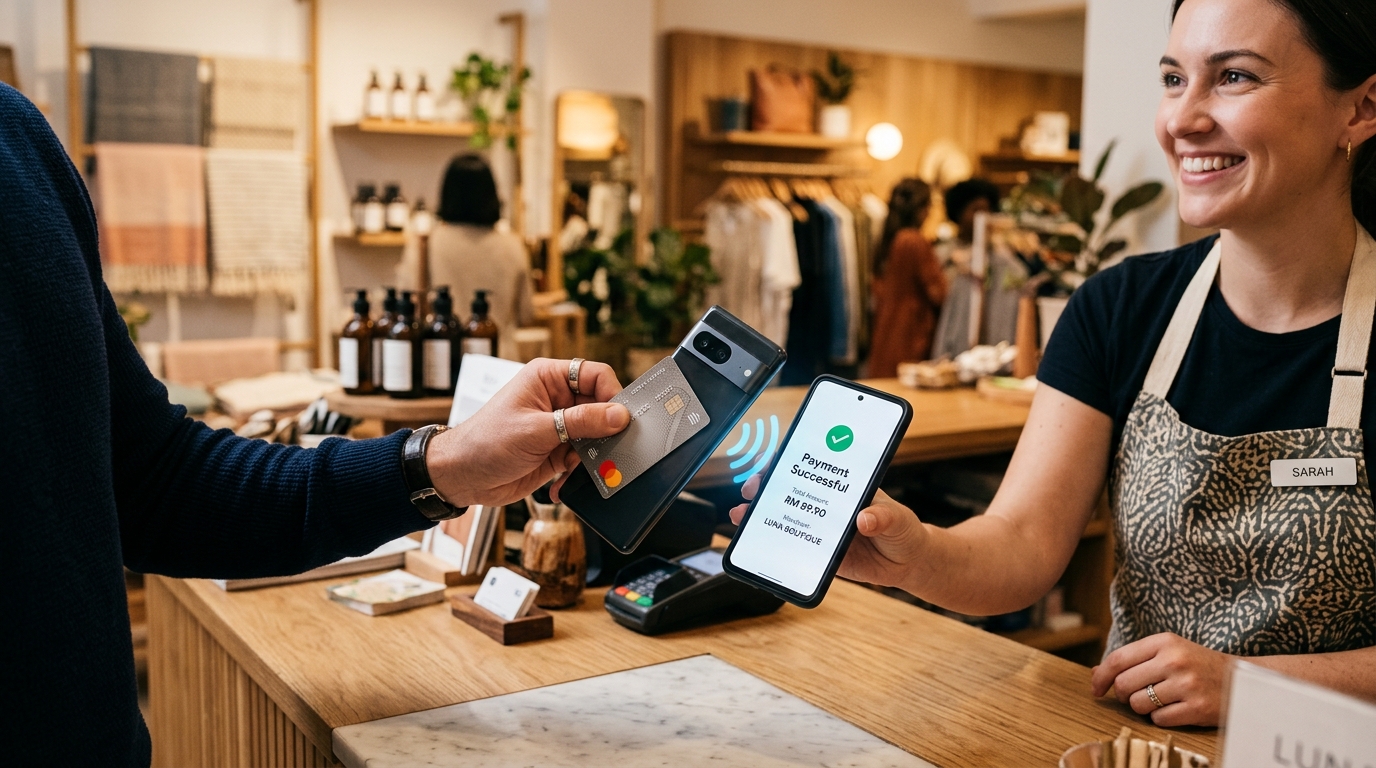
Accepting card payments is the fastest way to accelerate retail transaction values. Modern shoppers—particularly mobile-first urban consumers—rarely carry significant physical cash. Increasingly, purchasing convenience is defined by tapping a contactless card, Apple Watch, or smartphone digital wallet.
However, for independent boutique owners, pop-up market vendors, food trucks, and specialty cafes in Malaysia, acquiring traditional Electronic Data Capture (EDC) card terminals from legacy merchant banks introduces painful friction:
- Exorbitant Rental Fees: Banks typically charge RM50 to RM150 per month in ongoing hardware leasing costs per device.
- Minimum Transaction Penalties: If your monthly card processing falls beneath mandatory thresholds (often RM5,000/month), you are penalized with under-utilization fees.
- Tedious Bureaucracy: Securing merchant acquiring accounts involves complex paperwork, hefty security deposits, and weeks of underwriting delays.
The modern fintech revolution has introduced a superior operating standard: SoftPOS (Software Point of Sale) or Tap to Pay on Android.
---
1. What is SoftPOS (Tap to Pay on Phone)?
SoftPOS technology allows any commercial off-the-shelf Android smartphone or mobile terminal equipped with NFC (Near Field Communication) to function as a certified payment acceptance device.
Shoppers simply tap:
- Contactless Visa or Mastercard debit and credit cards (including domestic MyDebit cards).
- Digital wallets such as Apple Pay, Google Wallet, or Samsung Pay.
...directly against the back of your Android smartphone! The transaction authorizes in under two seconds with identical speed and security to bulky bank terminals.
---
2. Bank-Grade Security Architecture
Merchants frequently ask: *Is it safe to accept cards directly on a standard Android phone? Is customer card data secure?*
GeminiPOS adheres strictly to global EMVCo and PCI Contactless Payments on COTS (CPoC) standards:
!SoftPOS Tap to Pay Architecture Diagram
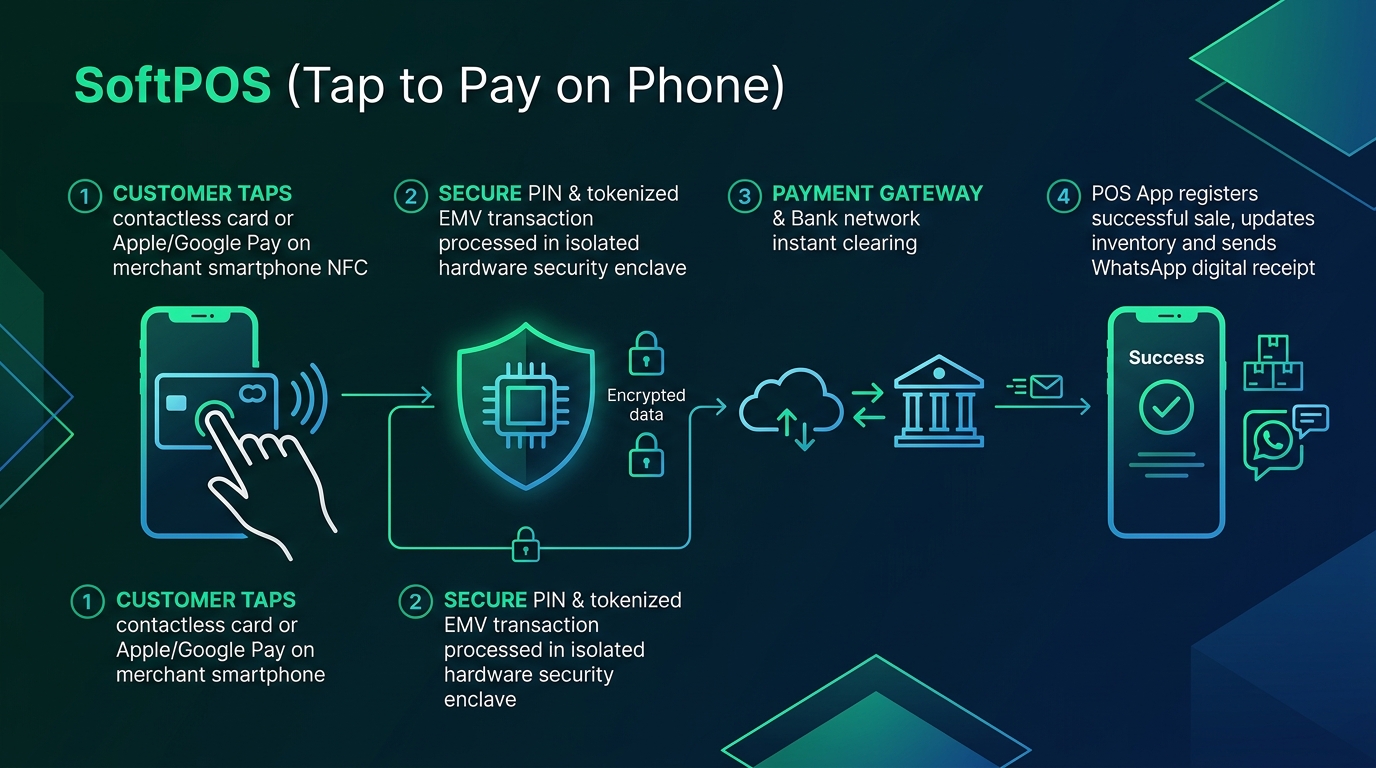
Stage 1: Card Tap on Smartphone NFC
The customer taps their card or wearable device near the phone's integrated NFC receiver.
Stage 2: Hardware-Isolated Tokenization (TEE)
Card data is never stored or visible on the phone storage. Data is processed inside an isolated hardware enclave (Trusted Execution Environment) and instantly converted into a one-time cryptogram token.
Stage 3: Instant Clearing via Payment Gateway & Acquirer
The encrypted token routes through the payment gateway switch to the card issuing bank for instant clearing.
Stage 4: Ledger Reconciliation & WhatsApp Receipt Delivery
The second payment is verified, the GeminiPOS register logs the transaction, automatically decrements stock, and offers to dispatch an official digital receipt directly via WhatsApp—eliminating thermal paper waste.
---
3. Financial Breakdown: Traditional Bank EDC vs. GeminiPOS Tap to Pay
Comparison Vector · Traditional Bank EDC Terminal · GeminiPOS Tap to Pay on Android
Monthly Terminal Rental · RM50 – RM150/month per terminal · RM0 (Zero Monthly Terminal Rental)
Minimum Quota Penalties · Active penalties if volume falls below target · Zero minimum volume penalties
Initial Upfront Hardware · Purchase/rent proprietary terminals (RM1,000+) · Use your existing Android smartphone
Physical Mobility · Heavy, requires dedicated charging cradles/SIMs · Ultra-lightweight; fits seamlessly in your pocket
Inventory Linkage · Disconnected; staff must key amounts twice · Native automated inventory deduction
Receipt Issuance · Fragile thermal paper rolls · WhatsApp digital receipts & Bluetooth printing
---
4. Ideal Operational Environments
- Pop-Up Markets & Weekend Bazaars: Eliminate lost sales caused by shoppers lacking physical cash or e-wallet balances.
- Hair Salons & Spas: Complete contactless card checkouts chair-side without forcing clients to congregate at the front counter.
- Food Trucks & Mobile Kiosks: Maximize scarce counter real estate by eliminating cumbersome hardware perches.
- Pay-on-Delivery Logistics: Courier teams can accept card payments right at the customer's doorstep securely.
---
5. Summary & Next Steps
Why bleed operating margins on monthly terminal rental fees when the Android smartphone in your hand can accept contactless cards faster, cheaper, and with superior security?
> Ready to unlock contactless card payments on your phone?
> Discover how GeminiPOS turns your everyday Android device into an enterprise cash register.
> Contact Our Team or explore our Mobile Phone POS Guide.