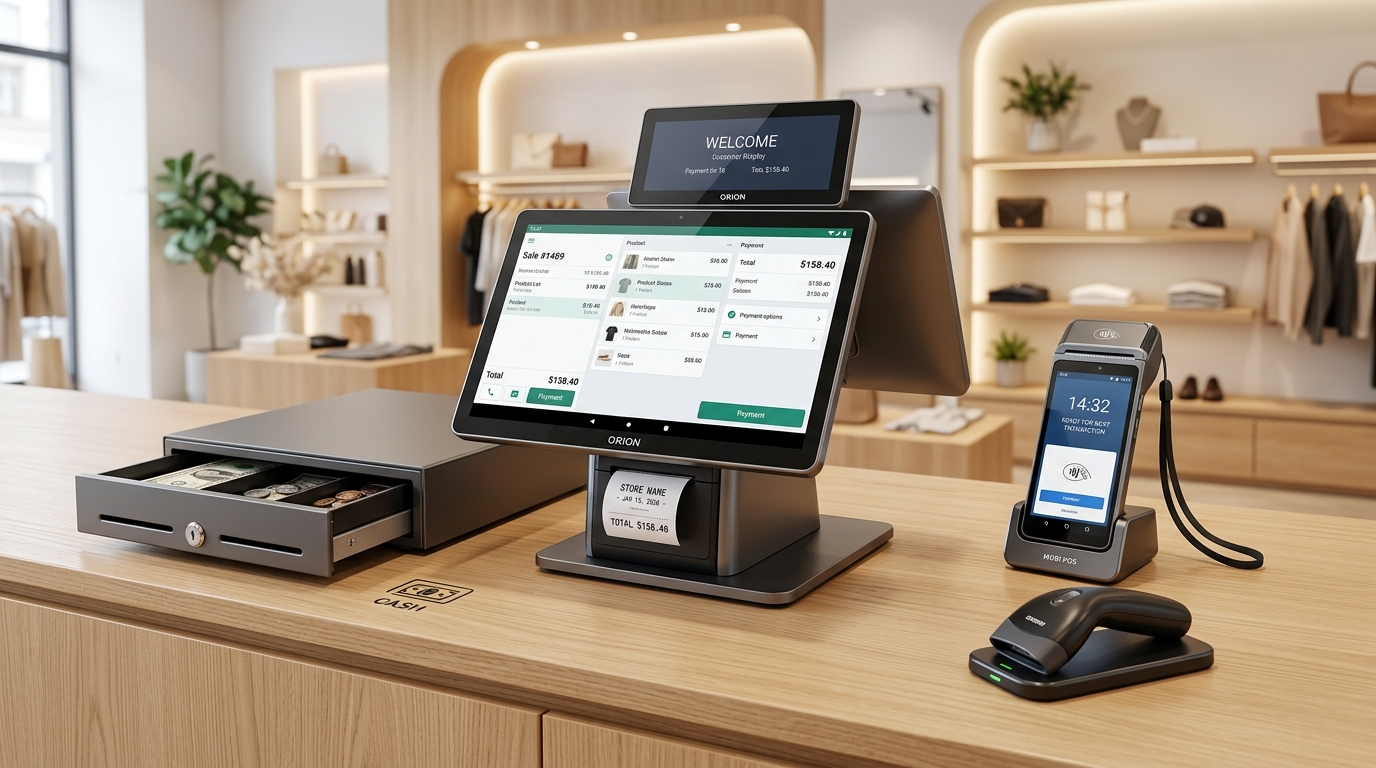
When designing or refactoring physical checkout counters across retail apparel, specialty groceries, quick-service restaurants, and hospitality lounges, infrastructure procurement leaders face an architectural crossroad: "Which terminal topology minimizes Total Cost of Ownership while optimizing operational throughput?"
Commercial operators evaluate three distinct hardware form factors:
- Legacy Windows desktop workstations tethered to extensive peripheral harnesses.
- Consumer tablet ecosystems (Apple iPad) enclosed in bespoke commercial stands.
- Commercial dual-screen Android all-in-one terminals featuring native receipt thermal engines and integrated customer-facing displays.
Selecting mismatched hardware creates chronic operational friction: consumer batteries swelling under perpetual charging regimes, countertop cable clutter alienating patrons, and peripheral interface drops paralyzing peak-hour processing.
This guide provides an empirical comparative breakdown across the three dominant commercial architectures.
---
1. The Three Modern POS Terminal Topologies
An architectural overview of current commercial checkout hardware:
!2026 POS Hardware Architecture Comparison Diagram
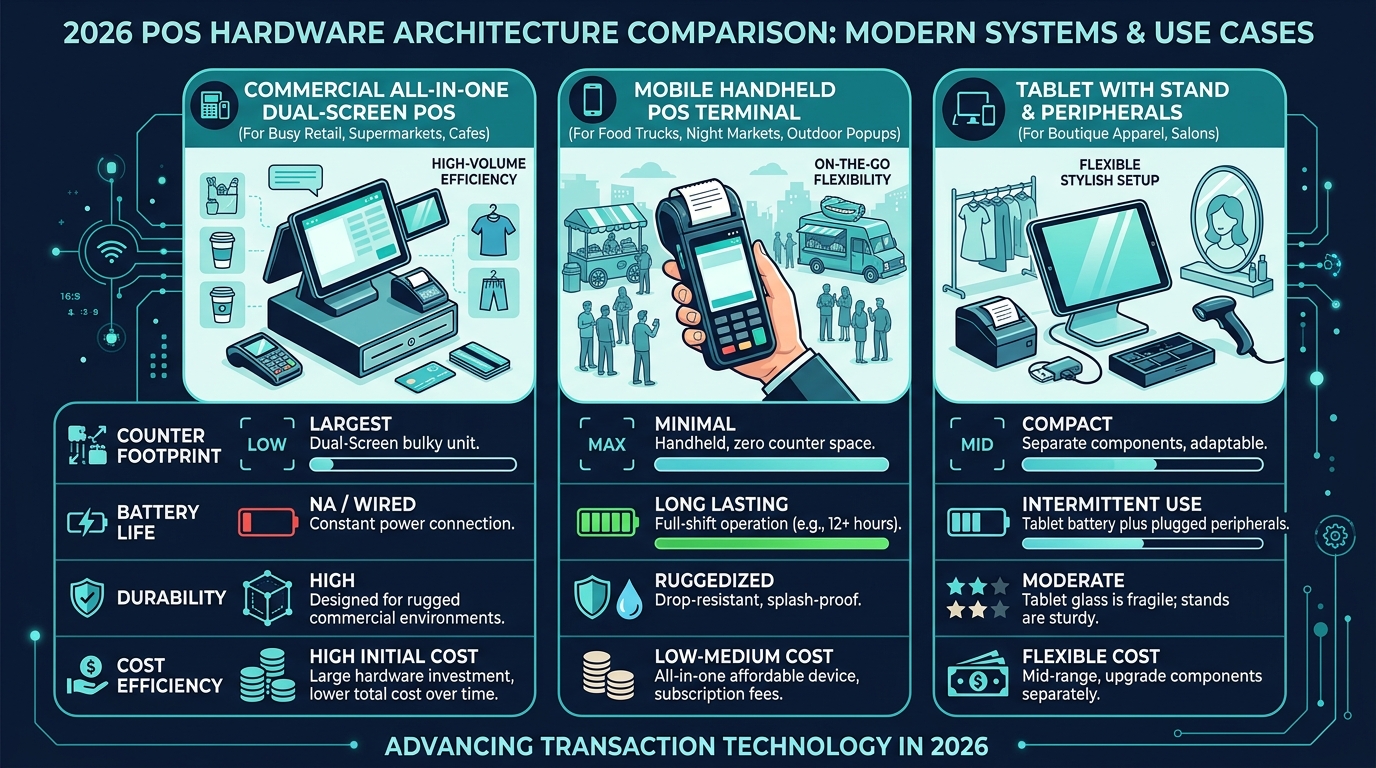
A. Commercial Dual-Screen Android All-in-One Terminals
- Architecture: Purpose-engineered commercial touch register. Houses a 15.6-inch primary capacitive display, high-speed 80mm thermal receipt printer with mechanical auto-cutter, and an integrated secondary Customer-Facing Display (CFD).
- Optimal Deployment: High-cadence retail, grocery supermarkets, cafes, and multi-lane retail counters where queue throughput, peripheral consolidation, and extreme reliability dominate.
B. Ruggedized Mobile Handheld Terminals
- Architecture: Compact battery-powered unit delivering 12+ hours of active operational endurance, featuring integrated 58mm thermal printing and optical barcode camera scanning.
- Optimal Deployment: Outdoor pop-ups, food trucks, mobile line-busting, curbside order staging, and roaming floor assistance.
C. Consumer Tablet (iPad) Counter Deployments
- Architecture: Premium consumer slate secured in aftermarket commercial enclosures, tethered to external standalone printers, drawers, and secondary chargers.
- Optimal Deployment: Boutique luxury fashion, aesthetic medical clinics, spas, and designer showrooms where mobile roaming aesthetics outweigh heavy-duty kitchen durability.
---
2. Total Cost of Ownership (TCO) & Reliability Analysis
A multi-year commercial lifecycle expenditure comparison:
Performance Metric · Commercial Android All-in-One · Consumer iPad Setup · Legacy Windows PC Tower
Initial Hardware Expenditure · Moderate ($450 - $700) · High ($850 - $1,300) · Moderate ($500 - $800)
Receipt Printing Consumable · Integrated Module ($0 Extra) · External Printer (+$160) · External Printer (+$130)
Customer-Facing Display · Integrated Secondary Panel · Secondary Tablet (Costly) · External Monitor (Bulky)
Continuous Power Reliability · Industrial Direct DC (Zero Battery) · Lithium Cell Swelling Risk · Fan Failures from Particulates
Counter Cable Density · Single Consolidated Lead · 4 - 5 Exposed Cables · 6 - 8 Cluttered Cables
---
3. Essential Pre-Procurement Architecture Checklist
Before finalizing vendor procurement contracts:
- Paper Width Standards (80mm vs 58mm):
High-volume retail requiring comprehensive tax documentation, dynamic payment QR codes, and multi-line itemization mandates 80mm wide thermal formats to prevent awkward typography compression.
- Dedicated Peripheral Interfaces:
Verify that terminals feature native RJ45 Gigabit Ethernet, RS232 serial interfaces for digital scale connectivity, and standard RJ11 solenoid cash drawer triggers.
- Thermal Durability & Direct Power Management:
Consumer tablets rely on pouch lithium-ion cells prone to thermal degradation and physical swelling when docked 24/7 in warm kitchen environments. Commercial all-in-one terminals utilize battery-less direct DC power supplies engineered for multi-year uptime.
- Offline-First Software Topology:
Hardware capability is only as resilient as its software runtime. Ensure terminal hardware runs GeminiPOS—delivering uninterrupted local transaction capability during wide-area network dropouts.
---
4. Architectural Summary & Strategic Recommendations
For the overwhelming majority of modern retail and food service operators, Commercial Android All-in-One Dual-Screen Terminals provide the optimal convergence of counter ergonomics, commercial durability, and long-term cost efficiency.
> Evaluating checkout hardware for your store fleet?
> Consult with GeminiPOS enterprise hardware engineers for tailored topology assessments.
> Contact our Solutions Team or explore our Hardware Ecosystem.