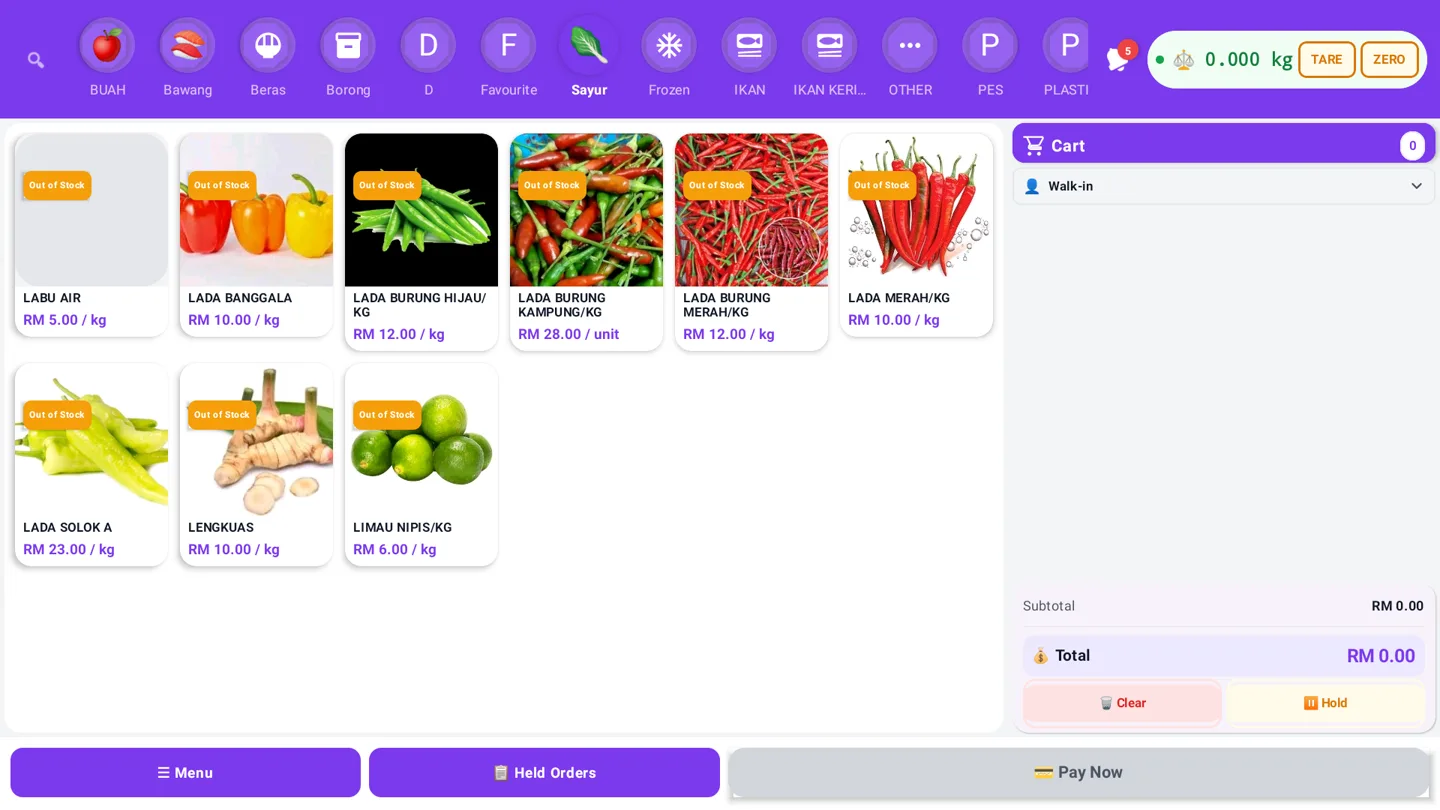
For a Malaysian business, choosing a POS is not only about the cashier screen. It affects stock, receipt printers, online orders, card and QR payments, staff access, reports and the way the business prepares for local compliance workflows.
The most expensive POS problems usually appear during a peak period: the internet drops, a payment is retried, a kitchen order does not print, or the online store sells an item that the shop has already sold. This guide turns those risks into a practical buying checklist.
1. Internet interruption stops the counter
Many Malaysian businesses operate from locations where Wi-Fi or mobile coverage is not equally reliable. A POS should explain what the team can still do when the connection is unavailable.
Look for offline-ready sales with a protected local queue and safe synchronisation after reconnecting. Confirm the limitations before subscribing: cloud reports, account sign-in, updates and some hosted card or payment-gateway authorisations may still need internet access.
During a trial, disconnect the router and test a sale, receipt, stock movement and reconnect. The important question is not simply “does it work offline?” It is “does the transaction sync once, with the correct stock and payment status?”
Read the offline POS guide and the GeminiPOS Malaysia POS page for the intended workflow.
2. Stock differs between the shop, online store and marketplace
Retail and F&B operators often manage several channels: walk-in sales, an online store, social selling and marketplace orders. If every channel keeps its own quantity, overselling and manual corrections become normal.
A good inventory management workflow should show stock movements, returns, adjustments, low-stock alerts and the source of each change. Test the last-unit scenario: sell one unit at the counter while an online order is being processed. Ask which event wins, how the conflict is shown and whether staff can reconcile it without editing database values manually.
3. Receipt, barcode and kitchen printers fail during service
The cheapest printer is not always the lowest-cost option if it loses connection, prints unreadable characters or has no local support. For F&B, a front-counter sale can also fail operationally when the kitchen order is not routed to the right station.
Before buying, confirm the printer protocol, connection type, paper size, replacement availability and test-print process. For scanners, test sleep-and-wake, repeated scans and a damaged barcode. For kitchen workflows, test several simultaneous orders and verify that each order is marked as sent, printed or pending.
Keep a simple fallback: a spare roll, spare cable, tested backup printer or manual order procedure. A POS should help staff recover, not hide the failure.
4. Payment is accepted but the report does not reconcile
Malaysian merchants may accept a mix of cash, cards, QR payments, bank transfers or online gateway payments. Each method has its own settlement timing, fees, refunds and failure states.
The POS should give every payment a reference and a clear pending, successful, failed or reversed status. Staff should be able to check the result before retrying after a timeout. Managers should be able to compare gross sales, gateway fees, refunds and actual settlement amounts.
Adding Stripe or another payment gateway can expand checkout options, but it does not automatically fix reconciliation. Review the Stripe integration page and confirm which gateways and payment methods are available for your business, country, currency and plan.
5. Local compliance is added as a last-minute project
Tax and e-Invoice requirements can change by business type, turnover, customer type and implementation phase. A POS provider should describe the available local workflow without implying that one setting covers every business.
Ask whether the system can retain the information required for your accountant or service provider, handle corrections and retries, and keep a traceable record. Confirm the latest requirements with official LHDN guidance and your tax adviser before relying on any software claim. The e-Invoice workflow guide is a starting point, not a substitute for current professional advice.
6. Staff cannot recover quickly from a mistake
Cashiers need to correct an item, discount, void or refund without guessing. Owners need controls so that these actions remain accountable.
Test the full flow with a real staff member: open a shift, add items, change quantity, apply a permitted discount, split a payment, print a receipt, void an item and process a refund. Check whether each action records the staff identity and whether managers can review it later.
An attractive dashboard does not compensate for a slow checkout or unclear recovery path.
7. The POS is connected to too many systems without a clear owner
Accounting, payroll, delivery, online ordering, marketplace and marketing integrations can save time, but only when everyone knows which system owns the product, order, customer and payment record.
For each connection, document the source of truth, fields transferred, retry behaviour, duplicate handling and reconciliation process. If you are planning to measure offline sales from social campaigns, ask whether the provider can export clean event data such as order, product, store and transaction references. TikTok documents offline activity audiences as a workflow that can use offline events from a POS or other source; the actual setup still depends on the ad account and integration path.
A low-risk buying checklist for Malaysia
Before paying for a plan or hardware, test:
- A counter sale during an internet interruption.
- A reconnect with no duplicate sale or stock movement.
- A last-unit sale across counter and online channels.
- A receipt printer, barcode scanner and kitchen-routing failure.
- A payment timeout and reconciliation report.
- A staff refund, void, discount and manager approval.
- The information needed for your accounting and e-Invoice workflow.
- Total monthly cost in RM, including gateways, hardware, support and add-ons.
GeminiPOS is built as an offline-first POS and inventory platform for retail, F&B and service workflows, with Malaysia-specific pages and global product positioning separated by market. Compare the Malaysia pricing page, POS System Malaysia overview and the relevant feature pages before making a decision.
Conclusion
The right POS system Malaysia businesses choose is not necessarily the one with the most features. It is the one that gives the team a safe fallback during an outage, keeps stock explainable across channels, makes payment settlement visible and supports the local workflow your accountant actually needs.
Suggested CTA: Review the GeminiPOS Malaysia workflow and see the Malaysia plans.
---