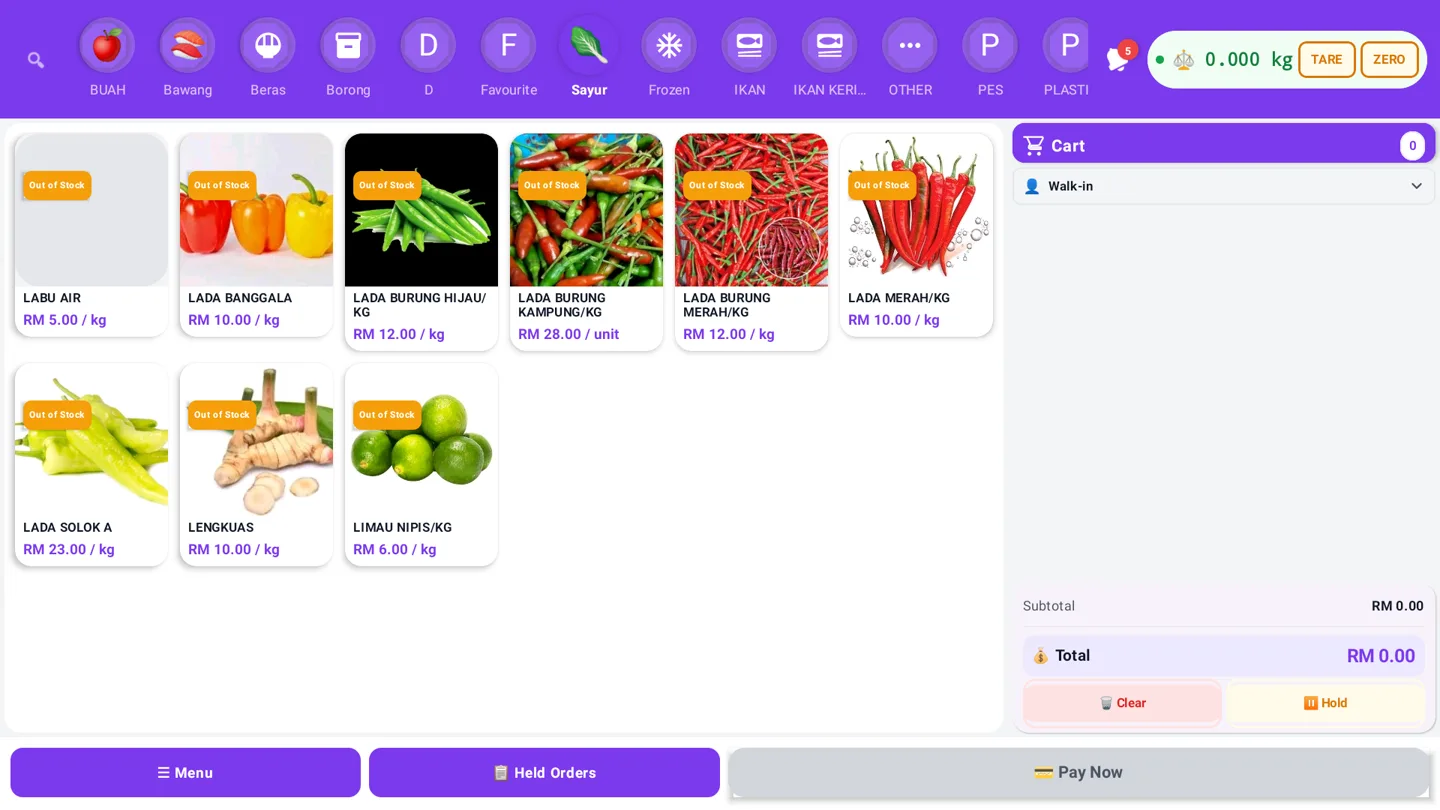
A point-of-sale system is supposed to make the busiest part of your business feel simple: scan or select an item, take payment, print or send a receipt, and keep stock accurate. When the POS becomes the source of outages, duplicate payments, missing kitchen orders or incorrect inventory, the cost is much higher than a monthly subscription.
The good news is that most POS system problems are predictable. Before choosing a platform, test the workflows that matter when the shop is busy—not only the demo screen. This guide covers seven issues operators continue to report and the questions that help prevent them.
1. The POS stops when the internet is unreliable
Cloud software is useful for centralised data, remote reporting and online sales. But a checkout should not become unusable every time a router, ISP or Wi-Fi access point has a bad day.
Ask whether the system supports an offline-first sales flow. A practical offline design should let authorised staff continue recording eligible sales locally, protect the transaction queue, and synchronise safely when the connection returns. It should also explain the limits clearly: account sign-in, cloud sync, updates and some hosted payment methods may still require internet access.
Do not accept “offline mode” as a marketing label. Test a real sale, a refund, a stock change and a receipt while disconnected. Then reconnect and confirm that the same transaction is not uploaded twice.
See the GeminiPOS offline POS guide for the questions to ask about local selling and later synchronisation.
2. Online and in-store inventory do not match
Selling through a counter, online store and marketplace creates more than one place where stock can change. A product can be sold at the till while an online order is being paid, or a staff member can adjust a quantity in one channel without the other channel receiving the update.
A useful POS inventory workflow needs one clear stock source, movement history and a way to review conflicts. Look for:
- stock movements linked to a sale, return, adjustment or purchase;
- low-stock and out-of-stock rules that match the way you sell;
- safe retry behaviour when an integration temporarily fails;
- an audit trail showing who changed a quantity and when; and
- a reconciliation screen instead of silent overwrites.
Before subscribing, run a small test with the same SKU in the counter and online workflows. Confirm what happens when two orders compete for the last unit.
The POS inventory management guide explains the control points in more detail.
3. Printers, scanners and kitchen orders fail at the worst time
Hardware problems are operational problems. A receipt printer may be connected but print unreadable characters. A barcode scanner may disconnect after a device sleeps. In food service, a kitchen order may be accepted on the front counter but never reach the correct printer.
Separate the failure into three layers:
- Device: power, cable, USB/Bluetooth pairing, paper and printer language.
- Network: IP address, Wi-Fi isolation, router changes and reachability.
- Application: routing rules, templates, retries and whether the order is marked as sent.
A POS vendor should document supported printer protocols, provide a test-print path and show the order state. For a busy restaurant, test a burst of orders across every prep station—not just one receipt from one terminal.
4. A new interface slows down staff
An interface can look modern and still be too slow for a cashier who needs to complete a queue of customers. Sudden UI changes, hidden buttons, scanner disconnects and freezes create training costs and checkout errors.
Choose a system with a predictable core flow. Ask whether releases include notes, whether administrators can test changes first, and whether staff permissions can restrict risky actions such as discounts, refunds and voids.
Measure the workflow with a real cashier: find a product, change quantity, apply a discount, take a split payment, print a receipt and correct a mistake. The number of taps and the recovery path matter more than a polished demo.
5. Payments succeed twice—or appear to fail when they actually succeeded
Payment incidents are among the most stressful POS system problems because the customer and merchant may see different outcomes. A network timeout can make a cashier retry even though the first authorisation succeeded. The result can be a duplicate charge, a manual refund and a reconciliation task at the end of the day.
The POS and payment provider should use an idempotency strategy, a transaction reference and a clear pending state. Staff need a way to check the payment result before retrying. Managers need a report that compares POS sales with gateway settlements, fees, refunds and chargebacks.
Do not assume that adding a payment gateway solves reconciliation. Stripe integration and other gateways still need correct configuration, webhook handling and operational review. Confirm which payment methods work offline, which require an online authorisation, and how each one appears in reports.
6. Integrations create a second data problem
Connecting accounting, payroll, delivery, online ordering, marketing or marketplaces can remove manual work—but only if ownership is clear. Otherwise the same customer, product, order or tax value can be edited in several systems with no reliable source of truth.
For every integration, document:
- which system creates the record;
- which fields are synchronised;
- what happens when a request fails;
- how duplicates are detected; and
- how a user can replay or reconcile a missed event.
If you advertise offline support, explain which integrations are queued locally and which wait for the connection. Honest limits create fewer surprises than a promise that every connected service works during an outage.
7. Security is treated as an afterthought
A POS contains payment-adjacent data, employee permissions, customer information and a history of business activity. A cheap device or an unmanaged Android terminal can become a serious risk if it is left unlocked, runs unknown software or shares one administrator account.
At minimum, require unique staff access, role-based permissions, automatic screen locking, device updates, encrypted transport and a clear data-retention policy. Review who can export customer data, change prices, issue refunds and access reports. Keep payment credentials out of the client app where the provider’s architecture supports that separation.
Security is not only a technical feature. It is also a daily operating habit: lock the terminal, review unusual refunds, remove former staff promptly and keep a recovery plan for lost devices.
A practical POS evaluation checklist
Before choosing a system, run these tests:
- Disconnect the internet and complete an eligible sale.
- Reconnect and verify exactly-once synchronisation.
- Sell the same SKU through counter and online flows.
- Trigger a printer, scanner or kitchen-routing failure.
- Simulate a payment timeout and confirm the retry path.
- Review a refund, void, stock adjustment and staff audit log.
- Export a report and reconcile it to the payment provider.
- Ask what is included in the plan and what incurs gateway, marketplace or hardware costs.
GeminiPOS is designed around an offline-ready POS and inventory workflow, with online-store and market-specific capabilities kept separate. Review the current plans, online-store workflow and the relevant integrations before deciding whether it matches your operating model.
Conclusion
The best POS system is not the one with the longest feature list. It is the one that keeps a sale recoverable when the network fails, keeps inventory explainable when channels disagree, keeps staff fast when the interface changes and keeps payment records easy to reconcile.
Use the checklist above during a live trial. If the vendor cannot show what happens when something goes wrong, that is already useful information.
Suggested CTA: See how GeminiPOS combines offline-ready selling, inventory and online commerce, or start with the global pricing page.
Sources and further reading
- Restaurant operators discussing recurring POS outages, printer and menu-sync failures
- Sysadmins discussing cloud POS failure during internet interruptions
- Shopify merchants discussing POS UI changes and hardware reliability
- Hospitality Technology 2026 POS software trends study
- TikTok official documentation for offline activity audiences
---